



We’re delighted to announce Mnova Gears DB Search 2.0, our solution for automated spectral database searching and compound identification. This release delivers new capabilities and refinements, including additional search modes and settings, reporting enhancements, clearer results visualization, and improved usability for complex datasets.
New Search Modes and Options
DB Search 2.0 expands search capabilities across NMR data (¹H, ¹³C, and HSQC) with the new ‘Spectrum Search’ mode that lets you run queries based on the NMR spectral profile. It also adds support for LC/GC-MS, enabling queries by mass peaks from full MS spectra or from a selected region of interest using the ‘Search only for the visible peaks’ option. In addition, a new option in the Molecule mode—Substructure search—enables structure-based queries for faster, more targeted identification (Figure 2).
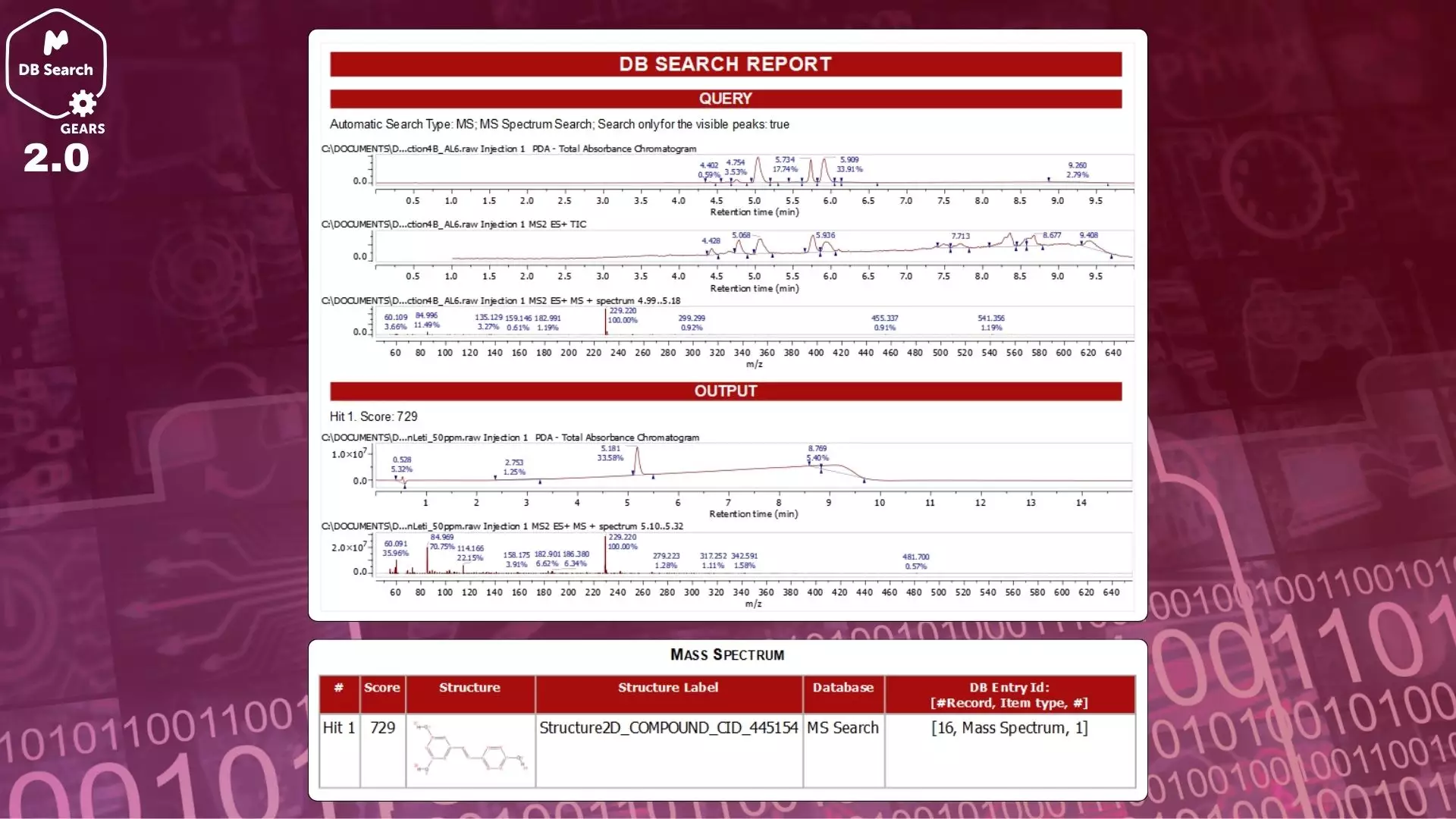
Figure 1: LC-MS query report with DB Search 2.0
Flexible Search Options
Gain finer control over what is searched and how:
- Selectable data categories: Enable or disable specific data types to tailor each query. For example, in a dataset containing ¹H, ¹³C, and HSQC data, you can choose exactly which of these to include in the search.
- ‘Peak Type Must Match’ toggle: Enforce exact correspondence between query and candidate peak types when turned on. Turn it off to allow broader matching and exploration.
These controls help you adapt the search strategy to your targets.
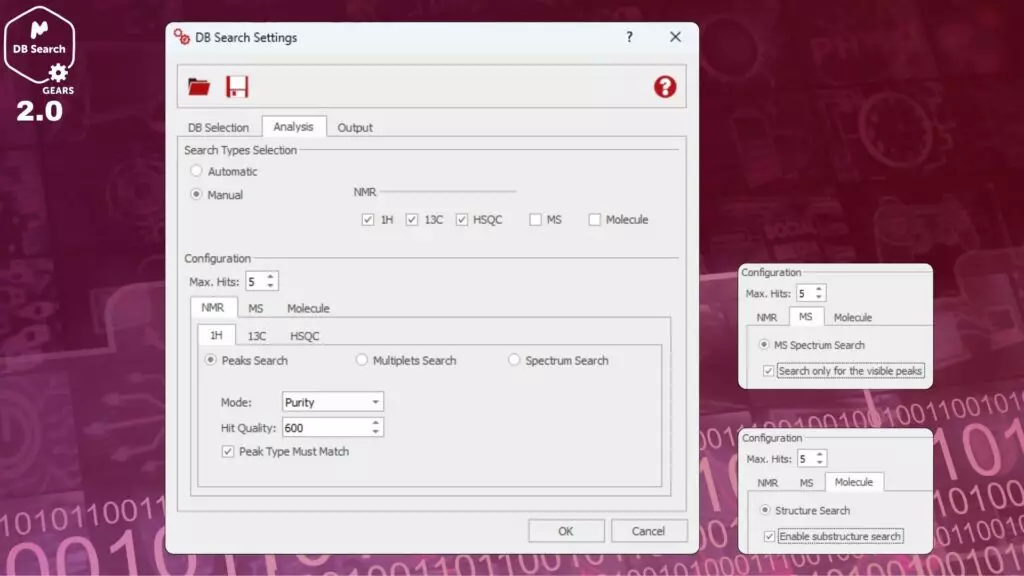
Figure 2: New DB Search Settings options
Enhanced Reporting and Audit Logging
DB Search now provides a more streamlined, user-friendly reporting experience. HTML reports include improved layouts, a more flexible structure, and visual upgrades such as color-coded sections and links to result directories. In addition, search configuration parameters are now logged to support traceability and troubleshooting, resulting in more comprehensive and auditable reports.
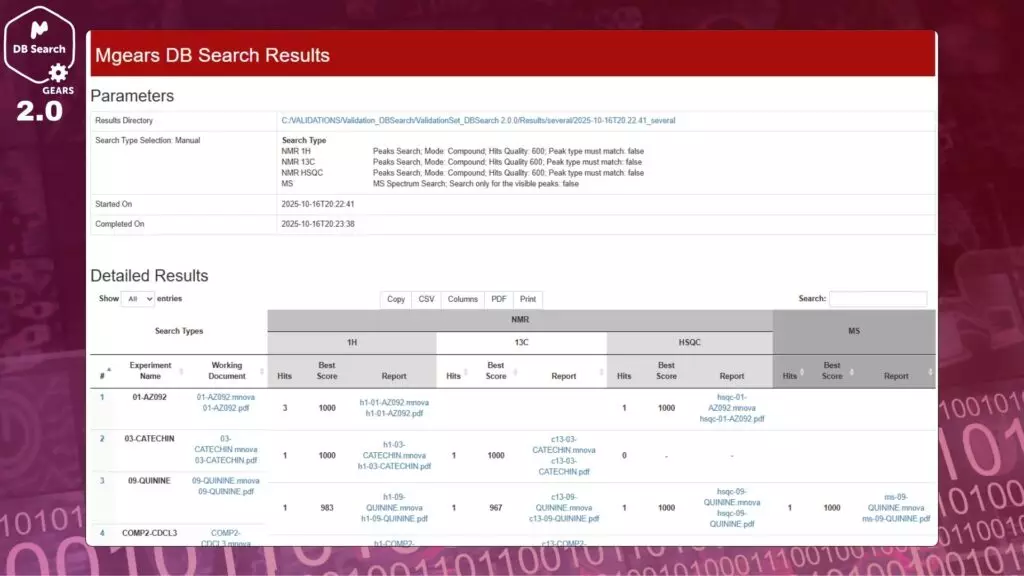
Figure 3: DB Search 2.0 report
Enhanced Results Visualization in Mgears Viewer
The results interface within Mgears Viewer has been significantly upgraded for clarity and speed:
- One-click access to the HTML report via the dedicated button added in the Results section.
- Experiment selector to navigate experiment-specific results quickly.
- Open Mnova documents directly from each search with dedicated buttons.
- A new Summary tab shows an at-a-glance overview (Hits per search and Best Hit Score), streamlining interpretation and decision-making.
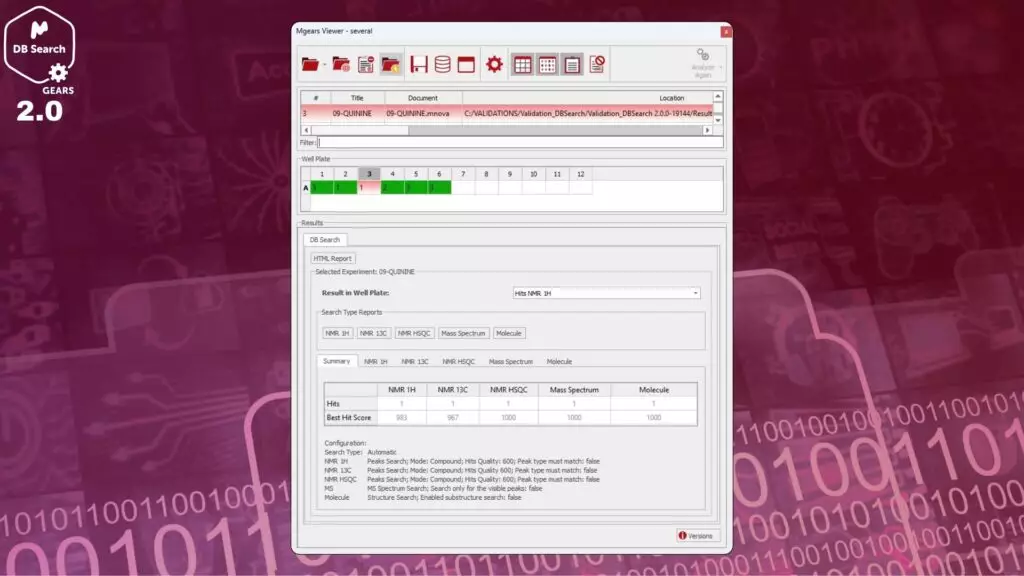
Figure 4: DB Search 2.0 results in Mgears Viewer
Improved Usability for Complex Datasets
DB Search now supports processing data organized in subfolders, offering greater flexibility and efficiency when working with structured or multi-level datasets.
Learn more: Read this publication to see how DB Search can accelerate your compound identification workflows.

