


How to Get Your HOST ID

Mar 10, 2026
 265
265
Whether you have purchased one of our products/plugins or want to evaluate them, a license is required. To obtain your license you need to know your computer’s Host ID - a unique identifier for a specific computer. SciY uses it to generate and lock licenses to a specific machine.
Getting your Host ID
Option 1: Registration Wizard
- Download and install Mnova (if you have not done so yet).
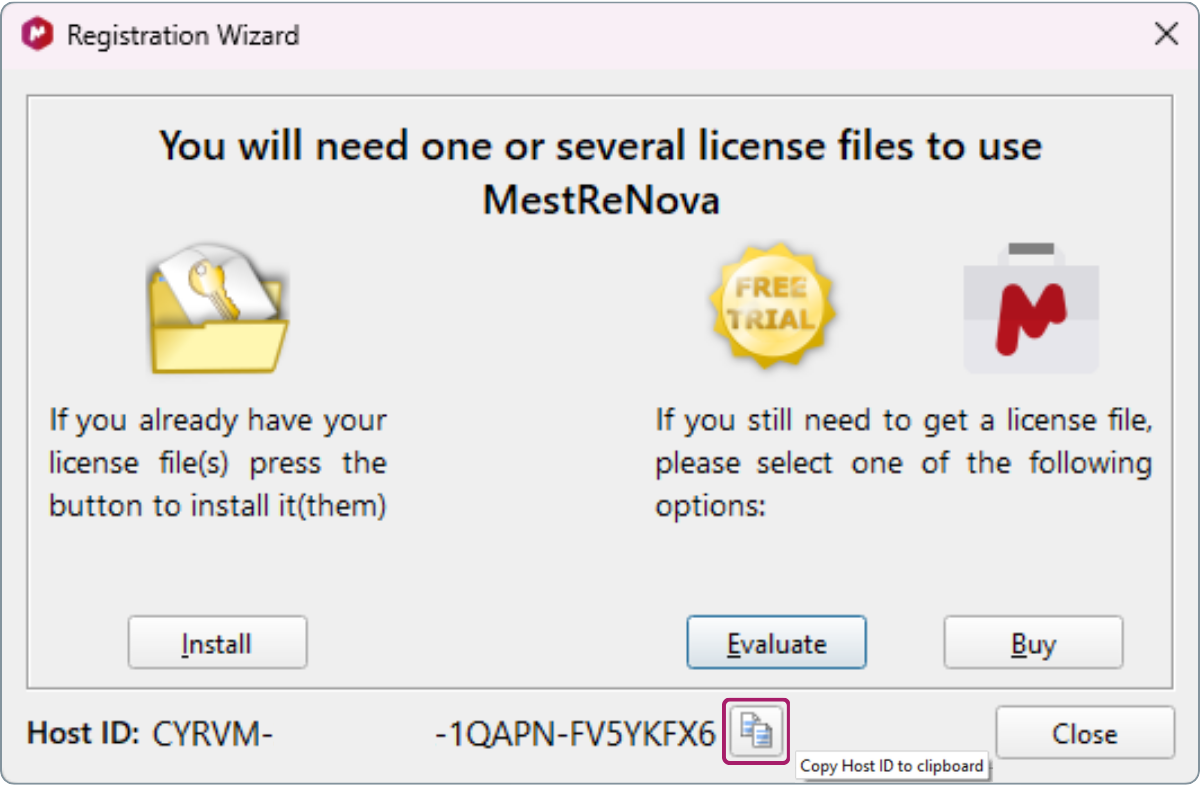
- Open Mnova and locate the window shown below.
- Click the “Copy HOST ID to clipboard” button to copy your HOST ID.
Option 2: License Manager
If the Registration Wizard window is not open, you can access the HOST ID through the License Manager.
- Find the License Manager button in the top-right corner of Mnova.
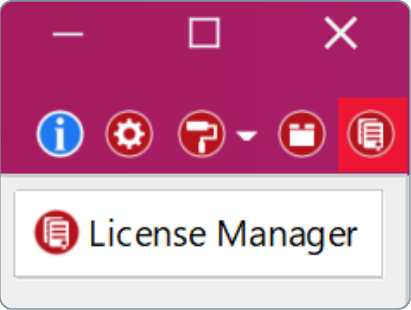
- Click the button to open the License Manager.
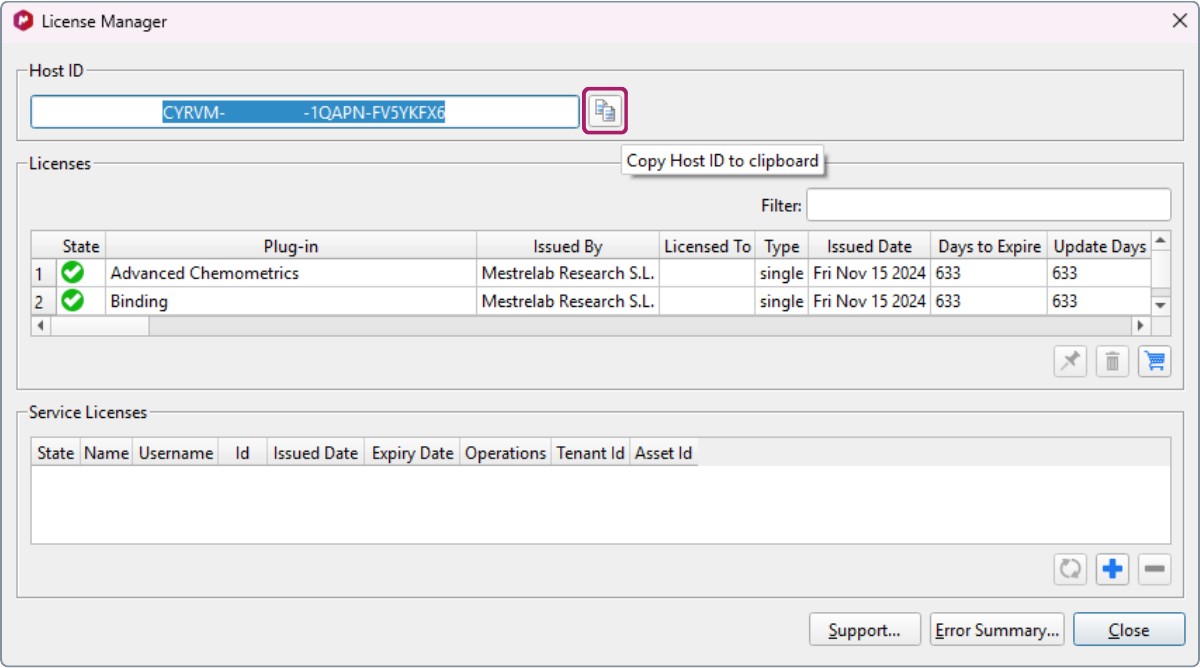
- And click the “Copy HOST ID to clipboard” button.
Alternatively
- Go to the File tab in the Ribbon.
- Click Help.
- Select License Manager from the dropdown menu.
- In the License Manager window, click the “Copy HOST ID to clipboard” button.

